
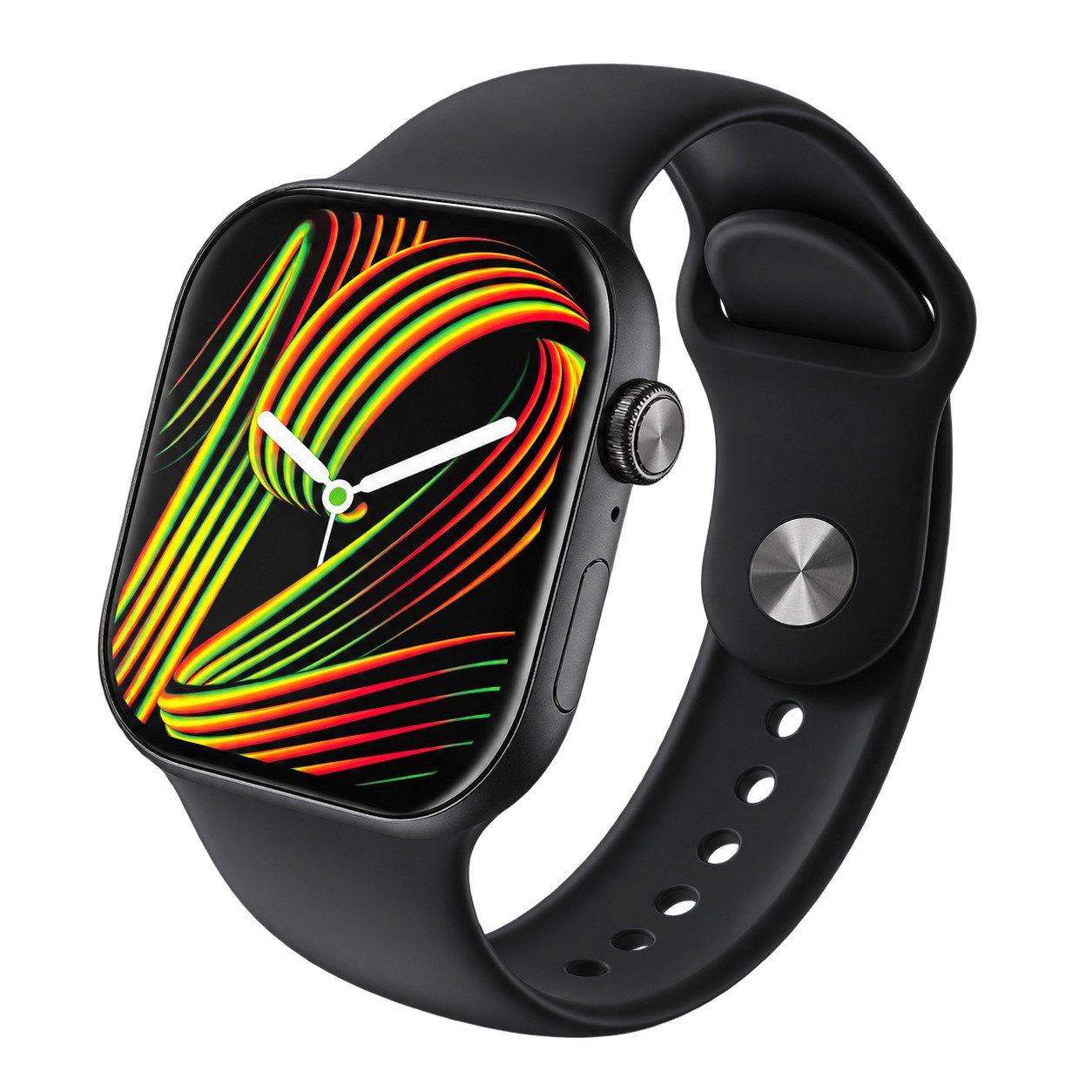
SYNK AIKA 46 Smart Watch
Thank you for choosing the SYNK AIKA 46 Smart Watch! Please read this manual before first use to understand all features and how to operate the device.
In the box:
- Gift box ×1
- AIKA 46 watch ×1
- Wireless charger ×1
Getting Started
1. Charge the watch
Place the watch on the wireless charging puck; charging starts automatically. Use a phone charger (5V max) or a computer USB port. A full charge takes about 3–4 hours.
2. Install the app
Download the MActive Pro app (Android & iOS) — scan the QR code in the Download the App section below.
3. Pair your watch
Turn on Bluetooth and GPS, open the app, allow all requested permissions and fill in your profile. Tap “Add device”, find “Aika46” and tap Connect.
Download the App

MActive Pro
Scan the QR code with your phone camera, or tap a button below to download the MActive Pro app for your watch.
Buttons
Upper crown
Rotate to scroll the menu up and down. Click to open the main menu; inside the menu, double-click to switch menu style. Press and hold for the voice assistant. Double-click for background app management.
Bottom button
Long press to power on/off. Short press for the shortcut menu and status bar (customizable). If the watch freezes, press and hold for 15 seconds to reset.
Main Features
Notifications
Syncs app notifications such as Facebook, WhatsApp, SMS and Email from your phone. Up to 8 notifications can be shown on the watch, and you can decline incoming calls from the watch.
To enable: in the app go to Device → Notifications, select the apps you want and turn the switch ON.
Bluetooth call audio & phonebook
Call audio: open the status bar on the standby screen, tap the Bluetooth icon to turn it off, then tap again to turn it on.
Phonebook: once connected, add up to 500 frequently used contacts to the watch from the app.
Watch faces
Long press the home screen for 3 seconds to switch watch faces. Download more faces in the app, or use your own photo as a background.
Heart rate monitoring
The watch measures heart rate using green optical sensors on the skin. Measurement starts within about 2 seconds; swipe to another menu to stop. For typical heart rate ranges for your age and gender, consult reliable sources or your doctor.
This device is not a medical device. All values are for reference only.
Sleep monitoring
Sleep tracking runs automatically from 10:00 PM to 8:00 AM. View detailed sleep quality in the app.
Activity & exercise
Activity: shows steps, distance and calories. Data resets at midnight each day; past records are available in History.
Exercise: choose a sport mode and tap to start. Swipe right to pause, tap to end. Records duration, calories, heart rate and more.
More functions
- Music control: play and control music on your phone from the watch (a music app must be installed on the phone).
- Alarms: set multiple alarms in the MActive Pro app.
- Sedentary & drink reminders: set reminder times in the app.
- Find Phone: while connected, tap “Find Phone” and your phone will ring.
- Wrist wake-up: raise your wrist to wake the screen (enable in the app; may increase power consumption).
- Stopwatch: press to start, press again to pause, and again to stop.
- Language / time / date: synced automatically from your phone.
- About: view model number, Bluetooth address and firmware version.
- Reset: tap to erase all data (factory reset).
Firmware Update
While connected via Bluetooth, open the app and tap Device → Firmware version. You will be notified if an update is available. A progress bar shows during the update; the watch restarts and reconnects when done. Do not use the watch during the update (takes 3–5 minutes).
Troubleshooting: Not Receiving Notifications?
- The watch only mirrors notifications that appear in your phone’s notification center. Make sure notifications are enabled for each app in your phone settings.
- Unbind the watch in the app. Then open your phone’s Bluetooth settings; if “Aika46” is listed, remove the pairing. Turn Bluetooth off and on again, then reconnect.
- If the problem persists, uninstall and reinstall the app. Accept all permissions when opening it for the first time, then reconnect the watch.
Safety Warnings
- This product has a built-in rechargeable lithium battery. Do not disassemble, strike, squeeze or put it in fire.
- Stop using the watch if the battery is severely swollen. Do not leave it in high-temperature environments or use it after it has been immersed in water.
- Do not wear the watch in a hot shower, bath or sauna — steam can enter the device and damage components. Such damage is not covered by the warranty.
- This product is not a medical device. Health data is for reference only and must not be used for diagnosis or treatment.
Warranty
Warranty period — 12 months
The manufacturer/distributor warrants this product to be free from defects in workmanship for 12 months from the date of purchase. Defects occurring under normal use and care will be repaired, replaced or refunded at our discretion.
Proof of purchase
This warranty is valid for the original purchaser only and is not transferable. Please keep your receipt or tax invoice as proof of purchase and purchase date.
What is covered
Defects in workmanship or parts. Defective products or parts will be repaired or replaced. Batteries and other consumable items are not covered. Normal wear and tear is not covered.
What is not covered
- Damage caused by accident, misuse, abuse, improper installation or operation, lack of reasonable care, unauthorized modification, loss of parts, tampering or repair attempts by persons not authorized by the distributor.
- Products not installed, operated or maintained according to the instruction manual.
- Products used for purposes other than intended.
- Damage caused by improper power input or improper cable connection.
Functions described may differ slightly from the actual product; the final product prevails. This manual may be updated without notice.